












Collectaboks digital album: how to add your rugby cards
Updated 3 November 2026 · by the Swappies team
Free download Printable Pick n Pay Springbok Collectaboks 2026 checklist Tick off every one you've got - print it at home or save it as a PDF. Get it free


Every Pick n Pay Springbok rugby card has a code on the back, and the free Collectaboks digital album in the Pick n Pay asap! app turns that code into the player in your album - for this year's 2026 cards and last year's 2025 ones. Here is how, in five steps.
The app and the digital album are Pick n Pay's. Swappies is a separate South African collectables shop - we sell the single cards you are missing, not the app.
Where is the Collectaboks digital album?
In the Pick n Pay asap! app, under Smart Shopper on the bottom bar. It is free, and the same screen holds both albums: COLLECTABOKS II 2026 and COLLECTABOKS 2025.
How to add your cards, step by step
-
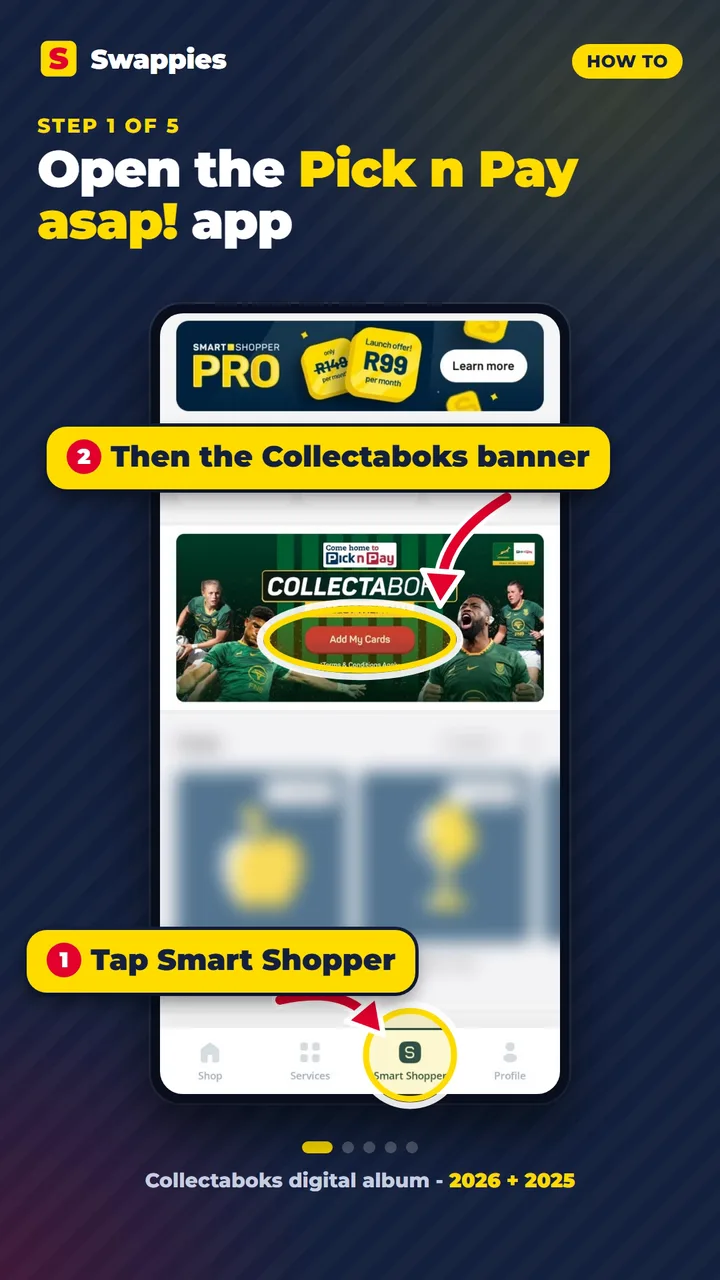
Step 1 Open the Pick n Pay asap! app and tap Smart Shopper
Smart Shopper is on the bar at the bottom of the screen. On the Smart Shopper page, tap the Collectaboks banner (Add My Cards).
-
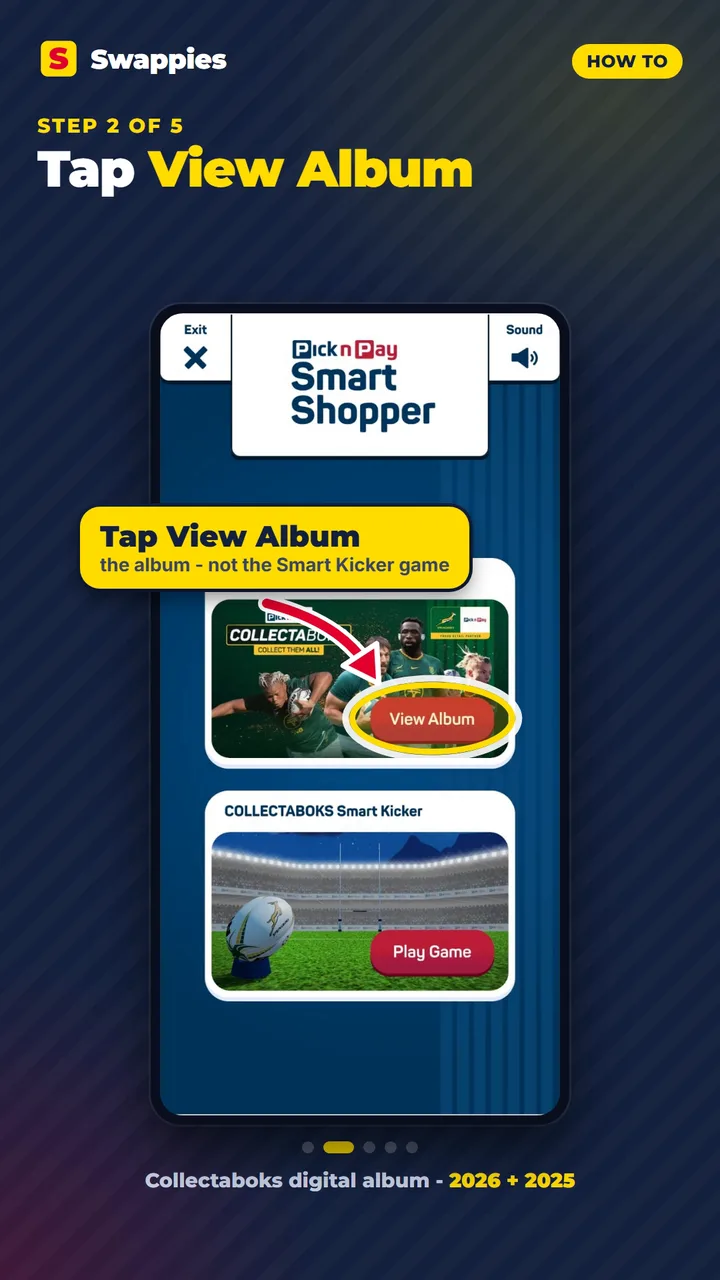
Step 2 Tap View Album
You get two options: the COLLECTABOKS Rugby Album and the COLLECTABOKS Smart Kicker game. Tap View Album on the album.
-
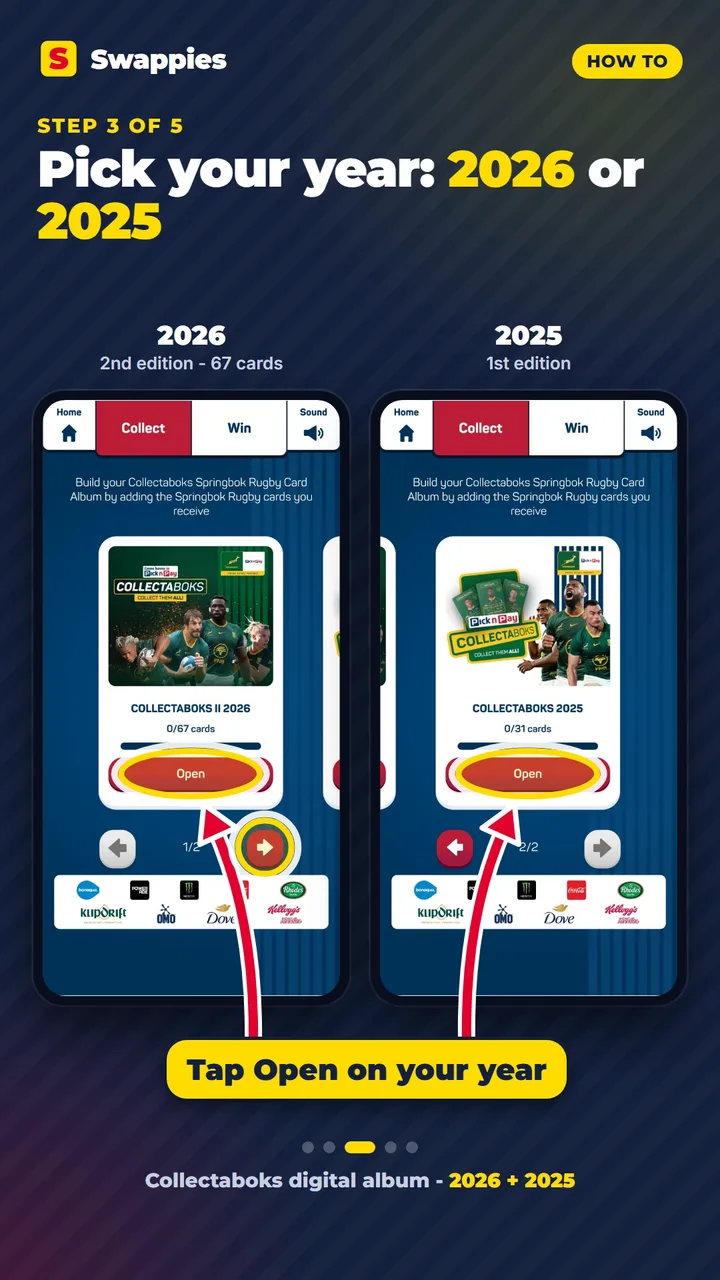
Step 3 Pick your year and tap Open
The Collect screen holds both albums: COLLECTABOKS II 2026 (the second edition, 67 cards) and COLLECTABOKS 2025. Use the arrows to move between them (1/2 and 2/2), then tap Open on the one you want.
-
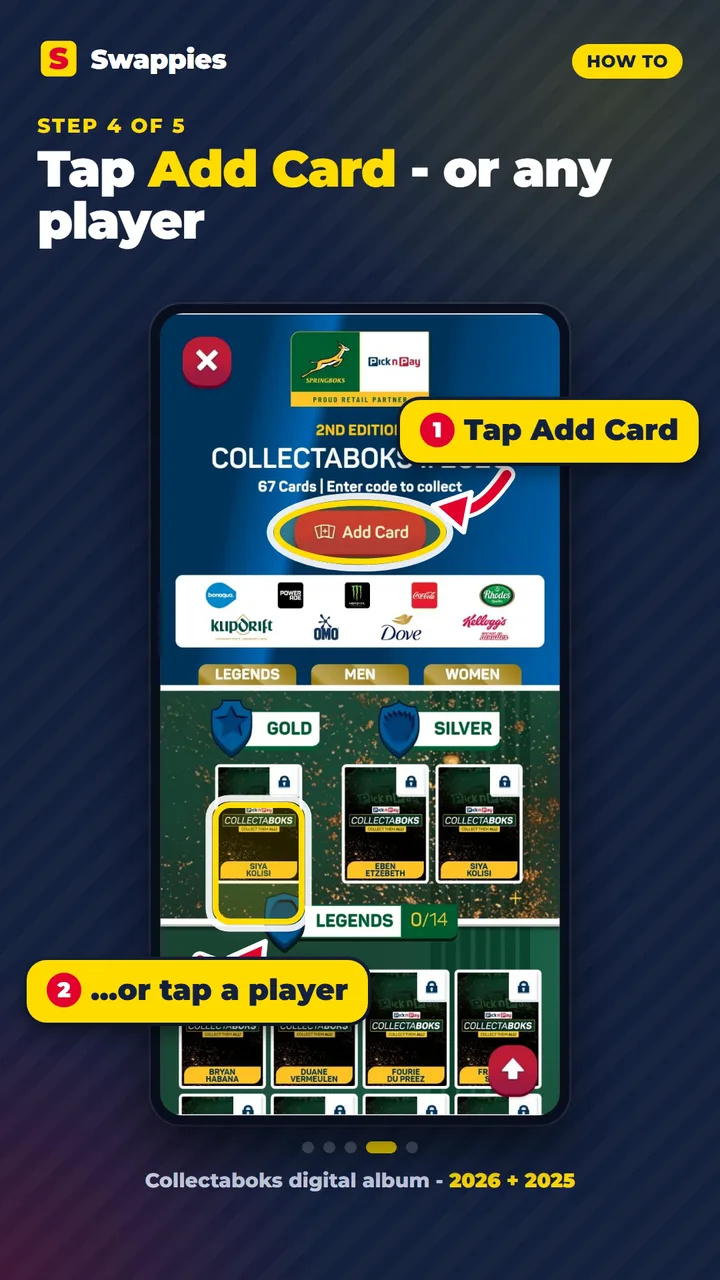
Step 4 Tap Add Card - or tap a player
Inside the album the cards are grouped as Gold, Silver, Legends, Men and Women. Tap Add Card at the top, or tap the player you have.
-
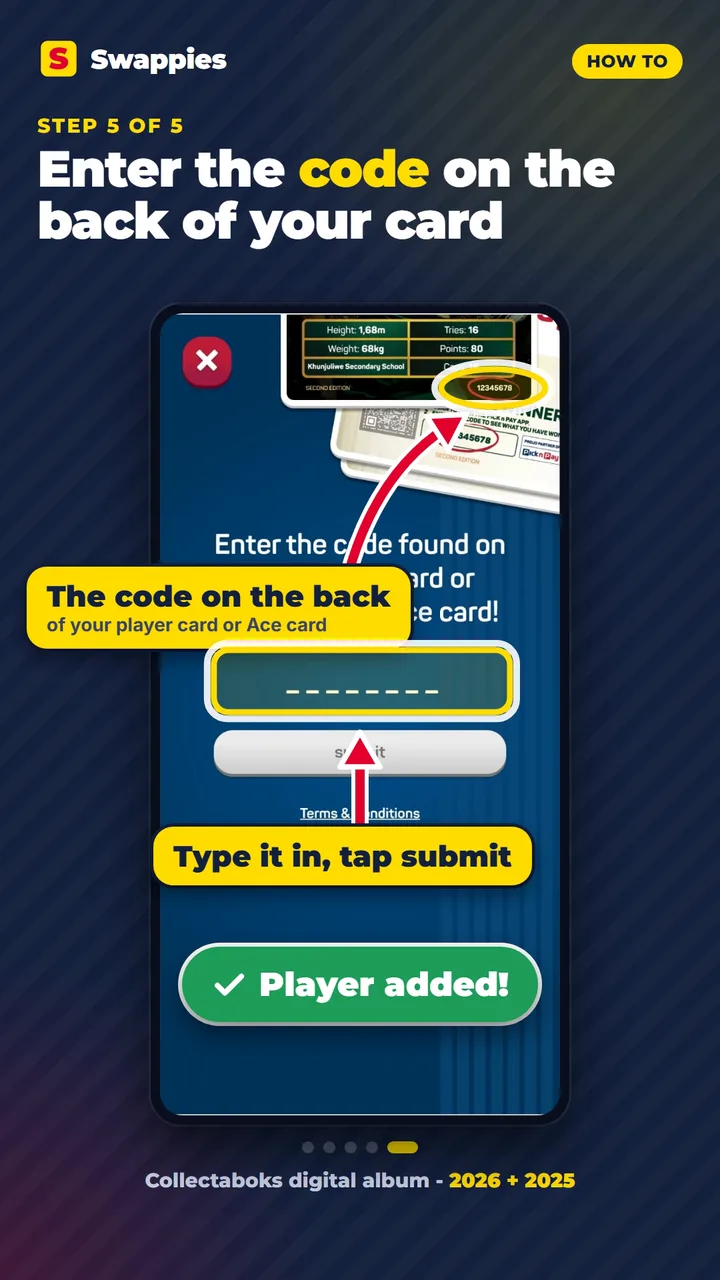
Step 5 Enter the code from the back of your card
Type the code printed on the back of your player card or Collectaboks Ace card, and tap submit. The player is added to your album.
 Kurt-Lee Arendse
R35.00
 Schalk Burger
R35.00
 Sanelisiwe Charlie
R35.00
 Jakkie Cilliers
R35.00
 Damian de Allende
R35.00
The 2025 album is in there too
Last year's first-edition cards have their own album on the same Collect screen. Tap the arrow to 2/2, tap Open on COLLECTABOKS 2025 and add your 2025 cards the same way.
Missing a few players?
The digital album shows exactly which players you still need. We sell single Springbok cards from both sets, so you can buy just the ones you are missing:
- Pick n Pay Springbok Collectaboks 2026 - all 67 cards, the gold Siya Kolisi and the silvers
- Pick n Pay Springbok Collectaboks 2025 - the first edition
Our cards are for your collection and your physical album. We cannot promise that a code which has been added before will work again - that is up to Pick n Pay's app. Got doubles? Get a quote at today's prices on our Sell to us page.
Finish your Pick n Pay Springbok Collectaboks 2026
Paste the numbers you are missing on the checklist and we add every one we have in stock - one order, delivered anywhere in South Africa.
More Springbok guides
- Collectaboks 2026: card list, Ace cards and digital album
- Pick n Pay Collectaboks: the full Springbok card list and the gold Rassie
- Pick n Pay Rugby Fidget Spinners: all 15 Springbok players, the Coach and how to complete the squad